In today’s digital world, visual communication plays an important role in how businesses, brands, and creators connect with their audiences. From social media posts and advertisements to logos, websites, brochures, and product packaging, graphic design is everywhere.
Businesses need attractive and professional designs to communicate their messages, promote their products, and build a recognizable brand identity. This growing demand makes graphic design a valuable creative skill for students, freelancers, entrepreneurs, and aspiring professionals.
If you enjoy creativity, colours, typography, and visual storytelling, learning graphic design can open up exciting opportunities.
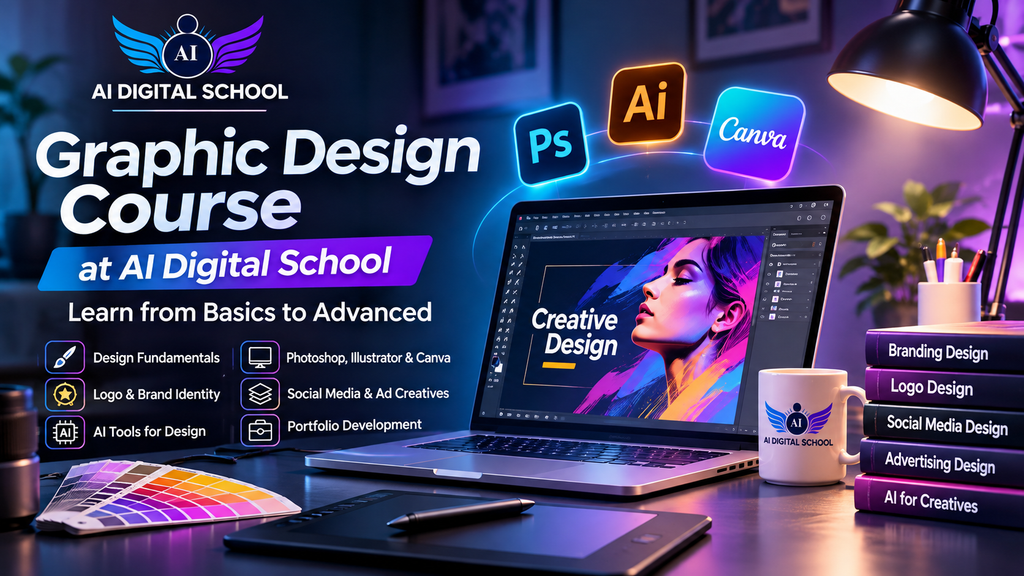
The Graphic Design Course at AI Digital School is a learning opportunity for people who want to understand design fundamentals, explore professional design software, and develop practical creative skills from beginner to advanced levels.
Whether you want to become a graphic designer, start freelancing, work with a digital marketing agency, or create designs for your own business, this guide will help you understand what graphic design involves and what you should learn.
What Is Graphic Design?
Graphic design is the process of communicating ideas and information through visual elements such as images, colours, typography, illustrations, shapes, and layouts.
A graphic designer combines creativity and design principles to create visuals that are attractive, meaningful, and easy to understand.
Some common examples of graphic design include:
- Social media posts and advertisements
- Business logos and brand identities
- Brochures and flyers
- Posters and banners
- Website graphics
- YouTube thumbnails
- Business cards
- Product packaging
- Infographics
- Presentations
- Digital advertisements
- Marketing creatives
Graphic design is not just about making something look beautiful. It is also about understanding the purpose of a design, communicating the right message, and creating a visual experience for the intended audience.
Why Should You Learn Graphic Design?
Graphic design is useful across multiple industries because almost every business needs visual communication.
Here are some important reasons to learn this skill.
1. Develop Your Creativity
Graphic design gives you the opportunity to turn ideas into visual content. You learn how to use colours, shapes, typography, images, and layouts to communicate messages effectively.
2. Explore Career Opportunities
You can explore opportunities in advertising agencies, digital marketing companies, design studios, media organizations, and businesses that need creative professionals.
3. Start Freelancing
With practical design skills and a strong portfolio, you can offer services such as logo design, social media creatives, thumbnails, brochures, and branding materials to clients.
4. Support Your Own Business
Entrepreneurs and business owners can use graphic design skills to create marketing materials, promotional posts, presentations, and other brand assets.
5. Work in Digital Marketing
Graphic design is an important part of digital marketing. Social media campaigns, online advertisements, website banners, and promotional creatives all require effective visual communication.
6. Build a Creative Portfolio
Every completed design project can become part of your portfolio. A strong portfolio helps demonstrate your creativity, technical knowledge, and design approach.
Why Choose a Graphic Design Course at AI Digital School?
Learning design through random tutorials can help you explore individual tools, but a structured learning approach can make it easier to understand design fundamentals and develop skills step by step.
At AI Digital School, learners can explore practical digital skills, creative tools, and modern content creation workflows.
A structured graphic design learning journey should help you understand both the creative and technical sides of designing.
The Graphic Design Course at AI Digital School can be explored through these important learning areas:
- Design fundamentals
- Colour theory and typography
- Layout and composition
- Adobe Photoshop
- Adobe Illustrator
- Canva design
- Logo and branding design
- Social media creative design
- Advertising and marketing creatives
- Portfolio development
- AI-assisted design workflows
For the latest batch details, course duration, fees, and exact software syllabus, contact the institute directly.
What Will You Learn in a Graphic Design Course?
A complete graphic design learning roadmap should begin with basic concepts and gradually move towards professional design projects.
Here is a suggested beginner-to-advanced curriculum.
Module 1: Introduction to Graphic Design
Start by understanding the fundamentals of visual communication and the role of graphic design in modern businesses.
Topics include:
- What is graphic design?
- Types of graphic design
- Role of a graphic designer
- Design process and creative thinking
- Understanding design briefs
- Visual communication
- Raster vs vector graphics
- Image formats and resolutions
- Understanding RGB and CMYK
- Introduction to professional design software
Module 2: Design Fundamentals
Design fundamentals help you create visually balanced and effective graphics.
Topics include:
- Colour theory
- Colour combinations
- Typography fundamentals
- Font pairing
- Visual hierarchy
- Alignment and spacing
- Balance and contrast
- Composition
- Grid systems
- Negative space
- Design consistency
Understanding these principles helps you create professional-looking designs rather than simply placing different elements on a page.
Module 3: Adobe Photoshop
Adobe Photoshop is widely used for image editing, photo manipulation, digital artwork, and marketing creatives.
Topics include:
- Introduction to Photoshop
- Understanding the workspace
- Layers and layer management
- Selection tools
- Cropping and image resizing
- Background removal
- Masking techniques
- Image correction
- Colour adjustment
- Typography and text effects
- Filters and effects
- Photo manipulation
- Social media post creation
- Advertisement design
- Exporting designs
Practical Projects:
- Social media promotional post
- YouTube thumbnail
- Product advertisement
- Photo manipulation creative
- Promotional banner
- Festival poster
Module 4: Adobe Illustrator
Adobe Illustrator is a vector-based design application used for creating logos, icons, illustrations, typography, and scalable graphics.
Topics include:
- Introduction to Illustrator
- Understanding vector graphics
- Shape tools
- Pen tool
- Pathfinder
- Shape Builder
- Working with colours and gradients
- Typography and text effects
- Vector illustration
- Icon design
- Logo creation
- Business card design
- Brand identity elements
- Exporting vector artwork
Practical Projects:
- Business logo
- Brand symbol
- Vector illustration
- Icon collection
- Business card
- Professional brand identity concept
Module 5: Canva for Graphic Design
Canva is a user-friendly design platform that helps users create visual content for social media, presentations, marketing, and business communication.
Topics include:
- Introduction to Canva
- Understanding templates
- Working with elements
- Text and typography
- Colour combinations
- Image editing
- Background removal
- Brand kits
- Social media post creation
- Presentation design
- Flyer and brochure design
- Canva collaboration
- Exporting designs
Practical Projects:
- Instagram post
- Facebook advertisement
- Instagram carousel
- Business presentation
- Promotional flyer
- YouTube thumbnail
Module 6: Logo Design and Brand Identity
A logo is an important visual element of a brand. It helps customers recognize a business and distinguish it from competitors.
Topics include:
- Introduction to branding
- Understanding brand identity
- Logo design principles
- Research and concept development
- Symbol and wordmark design
- Typography selection
- Colour psychology
- Logo variations
- Brand consistency
- Creating a basic brand style guide
Practical Projects:
- Logo design for a fictional business
- Brand colour palette
- Typography selection
- Business card design
- Basic brand identity presentation
Module 7: Social Media Graphic Design
Businesses and content creators need attractive visuals to communicate with their audiences across social media platforms.
Topics include:
- Instagram post design
- Instagram carousel design
- Instagram Story creatives
- Facebook post design
- Facebook advertisement creatives
- YouTube thumbnail design
- YouTube channel banners
- LinkedIn post design
- Promotional graphics
- Festival and event creatives
- Social media brand consistency
This module is especially useful for learners interested in digital marketing, content creation, and social media management.
Module 8: Advertising and Marketing Creative Design
Advertising design focuses on creating visuals that communicate a marketing message and encourage the audience to take action.
Topics include:
- Understanding advertising objectives
- Designing promotional creatives
- Visual hierarchy in advertisements
- Creating effective headlines
- Product advertisement design
- Service promotion creatives
- Offer and discount posters
- Call-to-action placement
- Brand consistency
- Designing creatives for digital campaigns
Practical Projects:
- Product promotion advertisement
- Educational institute admission creative
- Real estate promotional post
- Festival offer poster
- Service-based business advertisement
Module 9: Advanced Design Techniques
After understanding the fundamentals and professional tools, learners can explore more advanced creative techniques.
Topics include:
- Advanced photo manipulation
- Advanced masking
- Creative typography
- Advanced compositing
- Professional retouching
- Digital illustration
- Complex layouts
- Visual storytelling
- Advanced brand identity concepts
- Design presentation and mockups
- Professional export settings
Module 10: AI Tools for Graphic Design
Artificial Intelligence is changing the way designers brainstorm, create, and refine visual content.
AI tools can support the design process by helping with creative ideas, image generation, background editing, and content planning.
Topics include:
- Introduction to AI-powered design
- ChatGPT for design ideas
- AI image generation
- AI-assisted background removal
- AI image editing
- Generating creative concepts
- AI-assisted social media content
- Writing image-generation prompts
- Creating design variations
- Combining AI tools with Photoshop and Canva
AI should support the designer’s creative process rather than replace design understanding, originality, and human judgement.
Important Graphic Design Software You Should Learn
Professional designers use different tools depending on their projects and creative requirements.
Here are some popular tools worth exploring.
| Software | Main Purpose |
|---|---|
| Adobe Photoshop | Photo editing, manipulation, and raster graphics |
| Adobe Illustrator | Vector graphics, logos, and illustrations |
| Canva | Social media graphics and marketing designs |
| Adobe InDesign | Brochures, magazines, and multi-page layouts |
| Figma | User interface and collaborative design |
| ChatGPT | Design ideas, creative concepts, and prompts |
| AI image tools | Visual concept generation and image creation |
You do not need to master every tool at the beginning. Start with design fundamentals, then learn the software that matches your creative goals.
Graphic Design Projects You Should Create During Training
Practical assignments help you understand how design concepts are used in real-world situations.
Here are some project ideas for your learning portfolio.
Project 1: Social Media Post Design
Create promotional posts for a restaurant, educational institute, clothing brand, or local business.
Project 2: Logo Design
Develop a logo concept for a fictional company. Include the brand name, symbol, colours, and typography.
Project 3: YouTube Thumbnail Design
Create an attractive thumbnail for an educational video, tutorial, or entertainment channel.
Project 4: Product Advertisement
Design a promotional advertisement for a product. Focus on product visibility, headline, benefits, and call to action.
Project 5: Festival Poster
Create a professional festival greeting or promotional poster using suitable colours, typography, and visual elements.
Project 6: Brand Identity Project
Develop a basic brand identity containing a logo, colour palette, typography, business card, and social media template.
Project 7: Instagram Carousel
Design a multi-slide educational carousel that communicates information in a simple and visually consistent format.
Project 8: AI-Assisted Creative Design
Use AI tools to generate creative concepts and combine them with your design software skills to produce a polished final creative.
These projects can help you build a portfolio that demonstrates your design skills to potential employers and clients.
Who Should Join a Graphic Design Course?
Graphic design is a useful skill for people from different educational and professional backgrounds.
Students
Students can develop creative and technical skills that may help them explore design-related careers.
Beginners
People without previous design experience can start by learning basic design principles and gradually move towards advanced projects.
Freelancers
Freelancers can develop services such as logo design, social media creatives, promotional posters, thumbnails, and branding.
Business Owners
Entrepreneurs can learn how to create marketing materials and maintain consistent visual communication for their businesses.
Digital Marketers
Digital marketers can improve their content and advertising workflow by learning how to create effective visual creatives.
Content Creators
YouTubers, Instagram creators, and online educators can create their own thumbnails, posts, banners, and promotional graphics.
Career Opportunities After Learning Graphic Design
After developing design knowledge and building a portfolio, you can explore several career and freelance opportunities.
Possible career roles include:
- Graphic Designer
- Social Media Designer
- Creative Designer
- Brand Identity Designer
- Visual Communication Designer
- Advertising Designer
- Thumbnail Designer
- Marketing Creative Designer
- Junior Graphic Designer
- Freelance Graphic Designer
You can also offer freelance services such as:
- Logo design
- Social media post design
- Instagram carousel design
- YouTube thumbnail design
- Business card design
- Brochure and flyer design
- Product advertisement design
- Branding and identity design
- Presentation design
- Marketing creative design
Your career opportunities and earning potential will depend on your skills, portfolio quality, creativity, experience, communication, and ability to meet client requirements.
How to Build a Graphic Design Portfolio as a Beginner
A portfolio is one of the most important ways to demonstrate your design ability.
You do not need to wait for your first client to start building one. You can create sample projects for fictional brands and personal concepts.
Follow these steps:
Step 1: Choose Different Design Categories
Include examples of logos, social media posts, advertisements, thumbnails, and promotional posters.
Step 2: Create Original Designs
Avoid simply copying existing designs. Use references for inspiration, but develop your own layouts and creative ideas.
Step 3: Show Your Design Process
Where useful, explain the design brief, concept, colour selection, typography, and final result.
Step 4: Organize Your Work
Group your designs into categories so visitors can understand your skills easily.
Step 5: Publish Your Portfolio
You can showcase your work through suitable portfolio platforms, a personal website, or professional social media profiles.
Step 6: Keep Improving
Update your portfolio as you complete better projects and learn new techniques.
Why Graphic Design Is Important in Digital Marketing
Graphic design and digital marketing work closely together.
Digital marketing campaigns use visual content to attract attention, communicate messages, and support brand recognition.
For example:
- Social media marketing uses posts, carousels, and Stories.
- Meta Ads use promotional images and video creatives.
- Google Display Ads use visual advertisements.
- Content marketing uses infographics and illustrations.
- Website marketing uses banners, icons, and graphics.
- YouTube marketing uses thumbnails and channel artwork.
Learning graphic design alongside digital marketing can help you understand the creative side of online promotion.
This combination is useful for people who want to work in digital marketing agencies, manage social media accounts, create advertising campaigns, or offer multiple services to clients.
Common Graphic Design Mistakes Beginners Should Avoid
While learning design, beginners often focus only on visual effects and forget the basic principles of communication.
Avoid these common mistakes:
- Using Too Many Fonts: Limit font combinations and maintain readability.
- Ignoring Alignment: Organize design elements with consistent spacing and alignment.
- Using Too Many Colours: Choose a suitable colour palette for the brand and purpose.
- Overcrowding Designs: Keep layouts clean and give important elements enough space.
- Ignoring Typography: Make sure text is readable and has a clear visual hierarchy.
- Using Low-Quality Images: Choose suitable, high-resolution assets.
- Copying Other Designs: Learn from references but develop original concepts.
- Ignoring Design Purpose: Every design should communicate a clear message.
- Exporting Incorrectly: Use suitable file formats, dimensions, and colour settings for the final platform.
Why Choose AI Digital School for Graphic Design?
Choosing the right learning environment is an important step when developing creative skills.
AI Digital School focuses on practical digital skills, including digital marketing, AI tools, website design, and creative content development.
Graphic design is a valuable skill for anyone interested in visual communication, advertising, branding, social media, and online content creation.
When exploring a graphic design training program, look for learning modules that include:
- Graphic design fundamentals
- Colour theory and typography
- Adobe Photoshop
- Adobe Illustrator
- Canva
- Logo and branding design
- Social media creative design
- Advertisement design
- Advanced design techniques
- AI tools for creative workflows
- Practical assignments
- Portfolio development
The goal should be to develop both software knowledge and the ability to create meaningful, professional designs.
At AI Digital School, learners can explore how graphic design connects with digital marketing, social media management, content creation, and AI-powered creative workflows.
For information about the latest batches, course fees, duration, syllabus, and enrolment, contact AI Digital School directly.
Frequently Asked Questions (FAQs)
1. What is taught in a graphic design course?
A graphic design course generally covers design fundamentals, colour theory, typography, layout, Photoshop, Illustrator, Canva, logo design, social media graphics, advertising creatives, and portfolio development.
2. Can beginners learn graphic design?
Yes. Beginners can start with basic design principles and gradually learn professional software and advanced creative techniques.
3. Do I need drawing skills to become a graphic designer?
No. Drawing can be useful for certain types of design, but many graphic design projects focus on typography, layouts, images, shapes, and digital tools.
4. Which software should I learn first?
You can begin with Canva to understand basic layouts and visual composition, then explore Photoshop for image editing and Illustrator for vector design and logo creation.
5. Is graphic design a good career option?
Graphic design can offer career and freelance opportunities across advertising, marketing, branding, media, and content creation. Your portfolio and practical skills are important.
6. Can I earn money through graphic design freelancing?
Yes. You can offer design services to businesses, agencies, creators, and individual clients. Your earning potential depends on your skills, portfolio, client base, and project requirements.
7. How long does it take to learn graphic design?
The learning time depends on your starting level, practice, course structure, and project experience. Regular practice is important for improving design ability.
8. Is graphic design useful for digital marketing?
Yes. Graphic design is useful for social media posts, advertisements, website graphics, YouTube thumbnails, banners, and other marketing materials.
9. Can AI tools help graphic designers?
Yes. AI tools can support idea generation, image creation, background editing, and creative workflows. Designers still need to understand composition, typography, visual hierarchy, and brand requirements.
10. Where can I learn graphic design in Jabalpur?
You can explore creative and digital skills training options at AI Digital School in Jabalpur. Contact the institute directly for the latest course details, syllabus, batch availability, and fees.
Conclusion
Graphic design is more than learning software. It is about understanding how to communicate ideas through colours, typography, images, layouts, and creative thinking.
From social media posts and advertisements to logos and brand identities, design skills are useful across many industries.
The Graphic Design Course at AI Digital School is a learning opportunity for beginners and aspiring designers who want to develop creative skills from basic concepts to advanced design techniques.
Start with the fundamentals, practise using professional design tools, complete real-world projects, and build a strong portfolio.
Take your first step towards developing professional creative skills with AI Digital School.