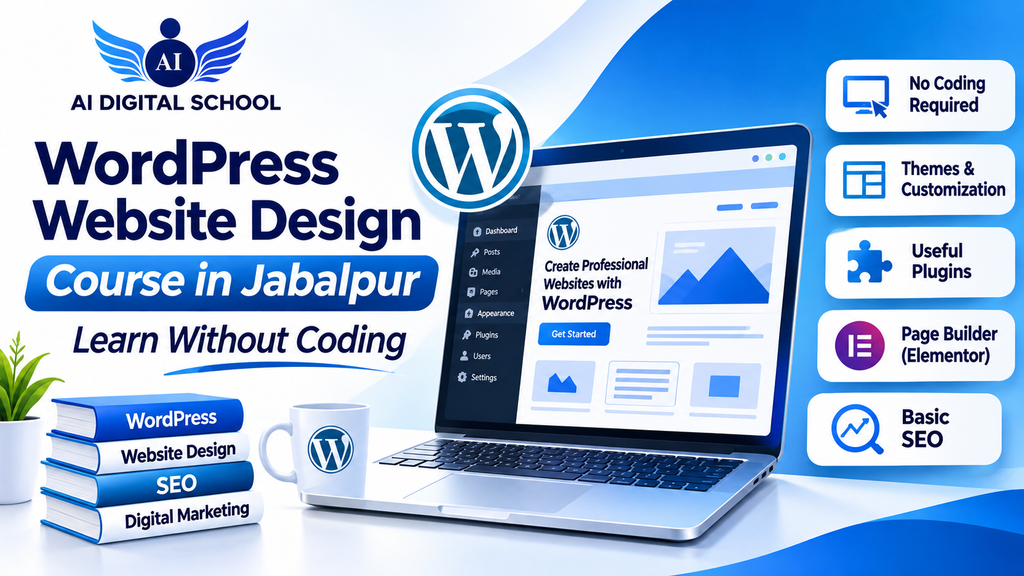
A WordPress Website Design Course in Jabalpur can help you understand how websites work and develop practical skills to build websites without writing complicated code.
Do you want to create professional websites but don’t know how to code? Are you interested in learning website design and building websites for businesses, clients, or your own projects?
You don’t need to become a programmer to start designing websites. With WordPress, beginners can create professional-looking websites using themes, plugins, page builders, and simple visual editing tools.
Whether you are a student, freelancer, business owner, or working professional, learning WordPress can help you explore new career opportunities and build your digital presence.
In this guide, we will explore WordPress, how website design works without coding, the skills you should learn, career opportunities, and how beginners can get started.
What Is WordPress?
WordPress is a popular content management system (CMS) that allows users to create and manage websites without needing advanced programming knowledge.
It provides a flexible platform for building different types of websites, including:
- Business websites
- Personal portfolio websites
- Educational websites
- Blogs and news websites
- E-commerce websites
- Landing pages
- Service-based websites
- Agency websites
WordPress provides themes and plugins that help users customize website appearance and add functionality.
For example, a business owner can use WordPress to create a website with a homepage, service pages, contact form, image gallery, blog section, and enquiry buttons without developing every feature from scratch.
Can You Design a Website Without Coding?
Yes! You can create many types of professional websites without writing HTML, CSS, JavaScript, or PHP code.
WordPress makes this possible through its visual tools and customization features.
Here are some important elements that make no-code website design possible:
1. WordPress Themes
Themes control the overall appearance and layout of a website. You can choose a suitable theme and customize its colors, typography, header, footer, and page layouts.
Popular WordPress themes include Astra, GeneratePress, and Kadence.
2. Page Builders
Page builders allow users to create website layouts visually using drag-and-drop editing.
Some popular options include:
- Elementor
- Gutenberg Block Editor
- Brizy
- Beaver Builder
You can use these tools to create sections, add images, insert text, design buttons, and arrange website elements.
3. WordPress Plugins
Plugins extend website functionality without requiring you to develop every feature manually.
For example:
- Contact Form 7 – Contact forms
- Rank Math SEO – SEO optimization
- WooCommerce – Online stores
- UpdraftPlus – Website backups
- Wordfence – Website security features
Always choose reliable, regularly maintained plugins and install only the features your website needs.
4. Ready-Made Templates
Website templates help beginners create layouts faster. You can import a suitable starter template and customize it according to your brand, content, and business requirements.
Why Learn WordPress Website Design in Jabalpur?
Businesses are increasingly using websites to promote their products, communicate with customers, and generate enquiries.
From local shops and educational institutes to real estate businesses, restaurants, service providers, and startups, websites can help businesses establish an online presence.
Learning WordPress website design in Jabalpur can help you develop a practical digital skill that you can use for your own business or professional projects.
Some important reasons to learn WordPress include:
- Beginner Friendly: You can start designing websites without advanced programming knowledge.
- Practical Skill: Build websites and practise with real-world project ideas.
- Freelancing Opportunities: Explore website design projects for individuals and businesses.
- Business Growth: Create and manage your own business website.
- Digital Marketing Advantage: Combine website design with SEO, content marketing, and online advertising.
- Flexible Learning: WordPress allows you to work on websites from different locations.
What Will You Learn in a WordPress Website Design Course?
A good beginner-level WordPress training program should cover both the technical setup and practical website-building process.
Here is a suggested learning roadmap for beginners.
Module 1: Introduction to Website Design
Understand the basics of website development and how websites work.
Topics include:
- What is a website?
- Types of websites
- Domain names and hosting
- Website structure
- Frontend and backend basics
- Introduction to CMS
- Introduction to WordPress
Module 2: WordPress Installation and Setup
Learn how to set up WordPress and access its dashboard.
Topics include:
- Domain and hosting basics
- Installing WordPress
- Understanding the WordPress dashboard
- Website settings
- Creating pages and posts
- Managing users and permissions
- Installing themes and plugins
Module 3: Theme Customization
Learn how to customize the appearance of your website.
Topics include:
- Understanding WordPress themes
- Installing and activating themes
- Customizing website layouts
- Header and footer design
- Typography and color selection
- Menus and navigation
- Responsive website design
Module 4: Website Designing with Page Builders
Learn to create website layouts using visual editing tools.
Topics include:
- Introduction to Elementor and Gutenberg
- Creating website sections
- Adding images and text
- Designing buttons and call-to-action sections
- Creating service layouts
- Building landing pages
- Mobile and tablet customization
Module 5: Essential WordPress Plugins
Understand how plugins improve website functionality.
Topics include:
- SEO plugins
- Contact form plugins
- Security plugins
- Backup plugins
- Performance optimization plugins
- Image optimization
- Plugin installation and configuration
Module 6: Creating Different Types of Websites
Practise building different website layouts.
Suggested projects include:
- Business website
- Personal portfolio website
- Digital marketing agency website
- Educational institute website
- Service-based website
- Basic e-commerce website
Module 7: Basic WordPress SEO
Learn how to make your website search-engine friendly.
Topics include:
- Introduction to SEO
- Keyword research basics
- SEO-friendly URLs
- Meta titles and descriptions
- Heading structure
- Image alt text
- Internal linking
- Sitemap basics
- Google Search Console introduction
Module 8: Website Launch and Maintenance
Learn how to prepare a website for publishing and ongoing management.
Topics include:
- Website testing
- Mobile responsiveness checking
- Basic website speed optimization
- Backup and restoration
- Security basics
- Updating themes and plugins
- Website maintenance
How to Create a WordPress Website Without Coding: Step-by-Step
If you are a complete beginner, follow these steps to understand the website-building process.
Step 1: Choose a Domain Name
Select a domain name that represents your business, brand, or personal identity.
Step 2: Purchase Web Hosting
Choose a hosting service that supports WordPress and provides the resources your website needs.
Step 3: Install WordPress
Install WordPress through your hosting dashboard and access the admin panel.
Step 4: Select a WordPress Theme
Choose a suitable theme based on your website’s purpose and customize its basic design.
Step 5: Install a Page Builder
Use Gutenberg or a suitable page builder such as Elementor to create website layouts visually.
Step 6: Create Important Pages
Most business websites need pages such as:
- Home
- About Us
- Services
- Contact Us
- Blog
- Privacy Policy
Step 7: Add Content and Images
Write useful content, upload relevant images, and add clear enquiry buttons.
Step 8: Optimize Your Website
Check mobile responsiveness, page loading speed, basic SEO settings, and website security.
Step 9: Publish Your Website
Test all important links and forms before making your website available to visitors.
WordPress vs Traditional Coding: Which Is Better for Beginners?
Both WordPress and traditional coding have their advantages. The right option depends on your goals and the type of website you want to create.
| Feature | WordPress | Traditional Coding |
|---|---|---|
| Coding Knowledge | Not always required | Usually required |
| Website Setup | Relatively quick | Depends on development |
| Customization | Themes and plugins | High flexibility |
| Beginner Friendly | Yes | Requires technical learning |
| Maintenance | Dashboard and updates | Depends on the technology |
| Best For | Blogs, business websites, portfolios, stores | Custom applications and specialized websites |
If your goal is to create business websites, blogs, portfolios, and landing pages, WordPress is a practical starting point.
However, learning HTML, CSS, and JavaScript later can help you customize websites more deeply and understand how web technologies work.
Who Should Learn WordPress Website Design?
WordPress is useful for people from different educational and professional backgrounds.
Students
Students can learn website design as an additional digital skill and build projects for their portfolios.
Freelancers
Freelancers can explore website creation services for local businesses, startups, professionals, and online brands.
Business Owners
Business owners can learn to create and manage their own websites instead of depending on someone for every small update.
Digital Marketers
Digital marketers can combine website design with SEO, social media marketing, Google Ads, and lead generation.
Working Professionals
Working professionals can explore website design as an additional skill for professional development or freelancing.
Career and Freelancing Opportunities After Learning WordPress
After developing practical WordPress skills, you can explore different types of work depending on your experience and portfolio.
Potential opportunities include:
- WordPress Website Designer
- Freelance Website Designer
- WordPress Website Manager
- Landing Page Designer
- Website Content Manager
- Basic WordPress SEO Executive
- Small Business Website Consultant
You can also offer website-related services such as:
- Business website development
- Portfolio website creation
- Website redesign
- Landing page development
- WordPress website maintenance
- Website content updates
- Basic on-page SEO
Your earning potential will depend on your technical skills, project quality, client communication, experience, and ability to deliver results. Building a strong portfolio is an important first step.
How WordPress and Digital Marketing Work Together
A website is more than just a collection of pages. It can become an important part of a business’s digital marketing strategy.
For example, a business website can support:
- SEO: Attract visitors from search engines.
- Social Media Marketing: Send visitors from Instagram and Facebook to the website.
- Google Ads: Generate relevant traffic through paid advertising.
- Content Marketing: Publish blogs and helpful information.
- Lead Generation: Collect enquiries through forms and WhatsApp links.
- Analytics: Understand website traffic and visitor behaviour.
Learning WordPress alongside digital marketing can help you understand how websites contribute to a complete online marketing strategy.
Why Choose AI Digital School in Jabalpur?
If you want to learn practical digital skills, AI Digital School provides a learning environment focused on digital marketing, website design, and AI-related skills.
Website design is an important skill for anyone who wants to work in digital marketing, build an online business, or explore freelancing.
When selecting a website design training program, look for opportunities to practise WordPress installation, theme customization, page building, plugin configuration, SEO basics, and complete website projects.
At AI Digital School, learners can explore digital skills that connect website design with the wider digital marketing ecosystem.
For course details, available batches, fees, and training information, contact AI Digital School directly.
Frequently Asked Questions (FAQs)
1. Can I learn WordPress without coding?
Yes. WordPress offers themes, plugins, Gutenberg, and visual page builders that allow beginners to create many types of websites without writing code.
2. How long does it take to learn WordPress website design?
The learning time depends on your practice, previous experience, and the complexity of websites you want to build. Beginners can start with basic websites and gradually learn advanced customization.
3. Is WordPress good for beginners?
Yes. WordPress is suitable for beginners because it provides a dashboard, themes, plugins, and visual editing options for creating and managing websites.
4. Do I need HTML and CSS to learn WordPress?
No, you do not need HTML and CSS to start building basic WordPress websites. However, learning these technologies can help with advanced customization.
5. Can I earn money after learning WordPress?
You can explore freelancing, website design, website maintenance, and business website projects after developing the required skills and building a portfolio. Getting clients and earning income will depend on your skills and experience.
6. Which WordPress page builder should beginners learn?
Beginners can start with Gutenberg or Elementor. The choice depends on the type of website, design requirements, budget, and preferred workflow.
7. Can WordPress be used for e-commerce websites?
Yes. WordPress can be used with WooCommerce to create online stores, manage products, accept orders, and configure payment and shipping options.
8. Is WordPress useful for digital marketing?
Yes. WordPress supports blogs, landing pages, SEO, lead forms, analytics integrations, and other features that can help businesses with digital marketing.
Conclusion
Website design is a valuable digital skill, and WordPress makes it easier for beginners to start creating websites without learning complex programming first.
With the right learning approach, you can understand website setup, theme customization, page builders, plugins, basic SEO, and website maintenance.
A WordPress Website Design Course in Jabalpur can be a useful starting point if you want to build websites for your own business, develop a professional portfolio, or explore freelancing opportunities.
Start learning, practise by creating real website projects, and gradually improve your design and technical skills.
Take your first step towards website design and digital skills with AI Digital School.